
From years supporting field technicians on RMU commissioning and maintenance, I’ve seen one issue pop up time and again: an RMU will not respond to remote open or close orders. Too many teams jump straight to ordering a new motorized operating mechanism, but RMU remote operation failure causes are rarely mechanical at first glance. Most faults trace back to SCADA command routing, RTU/DTU outputs, control relays, control supply voltage, interlock logic or auxiliary contact feedback loops.
Start simple: test local operation. Don’t fall into the trap of thinking “local works so remote must be fine”. Manual hand-cranking, local electric pushbutton control and remote control use separate wiring paths. A healthy local circuit does not guarantee your remote control chain is intact.
Real site case: We worked on a 24kV RM6 site some time ago. Local electrical closing operated smoothly, yet every remote SCADA command timed out. The maintenance crew was ready to replace the full motor mechanism before we tracked the fault to a worn remote-enable auxiliary contact at the local/remote selector switch. I’ve run into this same misdiagnosis across dozens of RM6 and SafeRing installations.
This guide is written for medium voltage maintenance engineers doing hands-on fault hunting. It will walk you through practical checks before you commit budget to spare parts. We’ll cover command flow, control voltage measurement, relays, interlock rules, motor drives and position feedback. All medium voltage work must be carried out by qualified staff. Wiring arrangements differ by RMU brand and model. Always follow unit schematics, manufacturer manuals and site lockout safety procedures.
How Does an RMU Remote Control System Work?
A standard RMU remote control setup relies on these key components:
- SCADA: Sends switching commands and displays live equipment status
- RTU/DTU: Processes incoming remote commands and swaps status signals
- Control relay / output interface: Activates the control circuit
- Control power supply: Provides rated voltage for controls and the motorized operating mechanism
- Motorized operating mechanism: Physically actuates the switchgear through its operating cycle
- Auxiliary contacts: Sends switch position signals back to the control system
Command path: SCADA → RTU/DTU → output interface → control circuit & interlocks → motorized mechanism → switchgear Feedback path: Switchgear → auxiliary contacts → RTU/DTU inputs → SCADA
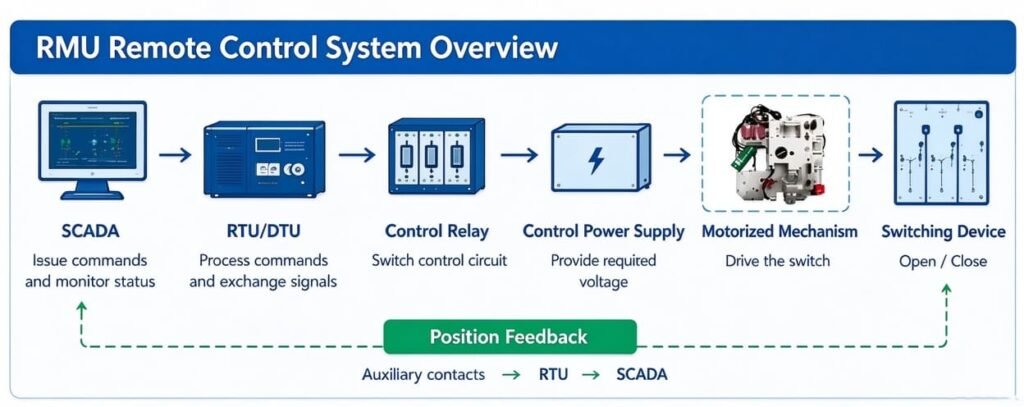
Two common field scenarios. The command reaches the RTU, but never triggers the motor. Or the switch physically moves, but SCADA still displays the old state. Your core diagnostic task: figure out whether the fault sits in command transmission, electrical execution, mechanical movement or status feedback.
Quick Troubleshooting Table: Symptoms and Likely Causes
| Observed symptom | Possible cause | Initial diagnostic direction |
|---|---|---|
| SCADA cannot issue commands | Permissions, control mode or command logic | Check alarms, user rights and event logs |
| Command sent, RTU output unchanged | Communication failure or point mapping error | Verify command processing and output state |
| RTU output energizes, relay stays off | Wiring fault, relay supply or interface defect | Inspect the relevant control circuit |
| Relay works, motor refuses to start | Supply loss, open circuit or active interlock | Check control voltage and permissive conditions |
| Motor runs but switching sequence incomplete | Mechanical jam or limit switch damage | Stop repeated testing, inspect per manual |
| Local electric operation works, remote fails | Remote enable logic or mode selection fault | Compare local and remote circuit paths |
| Switch operates, SCADA status stuck | Auxiliary contacts or RTU input mapping error | Match physical position against feedback signal |
| Remote operation locked after prior switching | Missing permissive or inconsistent position feedback | Review operating sequence and interlock rules |
This table is only a starting point. It is not a final diagnosis. Multiple separate defects can create identical symptoms out in the field.
RMU Local Control Works but Remote Fails
When troubleshooting RMU local control works but remote fails, take a moment to define what “local control” actually means for your unit.
If only manual hand-cranking functions: Hand operation tells you nothing about the motor, motor supply or electrical control circuit. Focus your testing on the remote command path and dedicated remote wiring.
If local electrical pushbuttons work while remote commands fail, prioritize these checks:
- Physical position of the local/remote selector and the remote-enable signal
- SCADA user permissions and mandatory select-before-operate sequence
- RTU/DTU command processing and output status
- Remote relays, wiring and mode-dependent auxiliary contacts
- Remote interlock logic and position permissive signals
Many RMU designs share relays and interlocks between local and remote circuits. Never assume these two paths operate fully independently.
When neither local nor remote electric operation works: Inspect shared control fuses, common control supply, interlocks, limit switches and the motorized mechanism. Pull your wiring diagram to identify shared components.
RMU SCADA Control Troubleshooting
RMU SCADA control troubleshooting helps uncover hidden RMU RTU control signal fault. Even with stable network links, valid SCADA commands may never reach the operating mechanism.
Step 1: Examine SCADA command logs Open event logs and confirm whether commands were accepted, rejected or timed out. Common root causes:
- Remote control permissions disabled
- Incorrect open/close point mapping
- Invalid command sequence
- Lost communication between SCADA and RTU/DTU
- Active blocking alarms or automation logic locking operation
A green network status indicator does not guarantee every control point is configured correctly.
Step 2: Check RTU/DTU output state If SCADA accepts the command, verify if the RTU output changes state as configured. If the output remains unchanged, audit point configuration, permissions and output channel health. If the output switches but downstream relays do not respond, continue tracing the electrical circuit.
Some sites use IEDs or protection relays instead of simple RTU outputs. Follow your site’s actual control architecture. Do not force outputs or spam repeated switching commands as a shortcut for fault diagnosis.
RMU Control Voltage Troubleshooting
RMU control voltage troubleshooting targets low or mismatched supply voltage, one leading source of RMU remote open close command failure.
Do not mix up the RMU medium voltage rating with the control voltage for its operating mechanism. A 24kV RMU does not automatically use a 24V DC control supply.
Field checklist for control voltage:
- Rated control voltage and AC/DC type
- Voltage readings at designated test points
- Fuse and protection device integrity
- Loose, corroded or overheated terminals
- Wiring continuity and relay contact condition
- Voltage drop during motor operation (follow manufacturer test procedure)
Common control voltages include 24V DC, 48V DC, 110V and 220V. These are examples, not universal RMU specs.
If voltage reads normal at rest but collapses the second you send a command, look at supply capacity, loose connections, worn relay contacts or mechanical overload on the motor. Compare measured values against the manufacturer’s operating range. Do not fit motors with mismatched voltage ratings just because they look similar externally.
Control Relay and Wiring Faults
When the RTU output activates but the mechanism stays inactive, inspect control relays and wiring. This is another spot to diagnose an RMU RTU control signal fault.
Relays can fail to energize, develop burnt contacts or work intermittently. Loose terminals or poor re-wiring after maintenance create nearly identical symptoms.
- Confirm the correct relay is assigned for opening or closing
- Measure coil voltage during approved live testing
- Verify relay state change and contact load capacity
- Inspect terminals, connectors, fuses and cable runs
- Cross-check wiring against the latest schematic, especially after retrofits
A clicking relay sound or lit indicator light does not confirm the motor receives full operating voltage. If the relay functions properly, shift your inspection to interlock and motor circuits; avoid replacing relays without proof of failure.
Electrical Interlocks and Missing Permissive Signals
RMUs will intentionally block remote commands when safety or operating permissive conditions are not met.
Blocking conditions often include:
- Earthing switch or main switch position
- Unfinished previous operation cycle
- Missing position confirmation signals
- Protection lockout or control interlock
- Local/remote selector state
- Damaged limit switches or interlock auxiliary contacts
How to troubleshoot interlock faults: Start with interlock diagrams, local panel indicators and SCADA alarms. Identify which permissive signal the operation requires. Cross-check physical switch position against electrical position signals and RTU inputs. A bad auxiliary contact signal can block commands even if the switch visually appears correct.
Safety reminder: Never bypass interlocks or protective functions just to restore remote control. Repair the root fault before retesting.
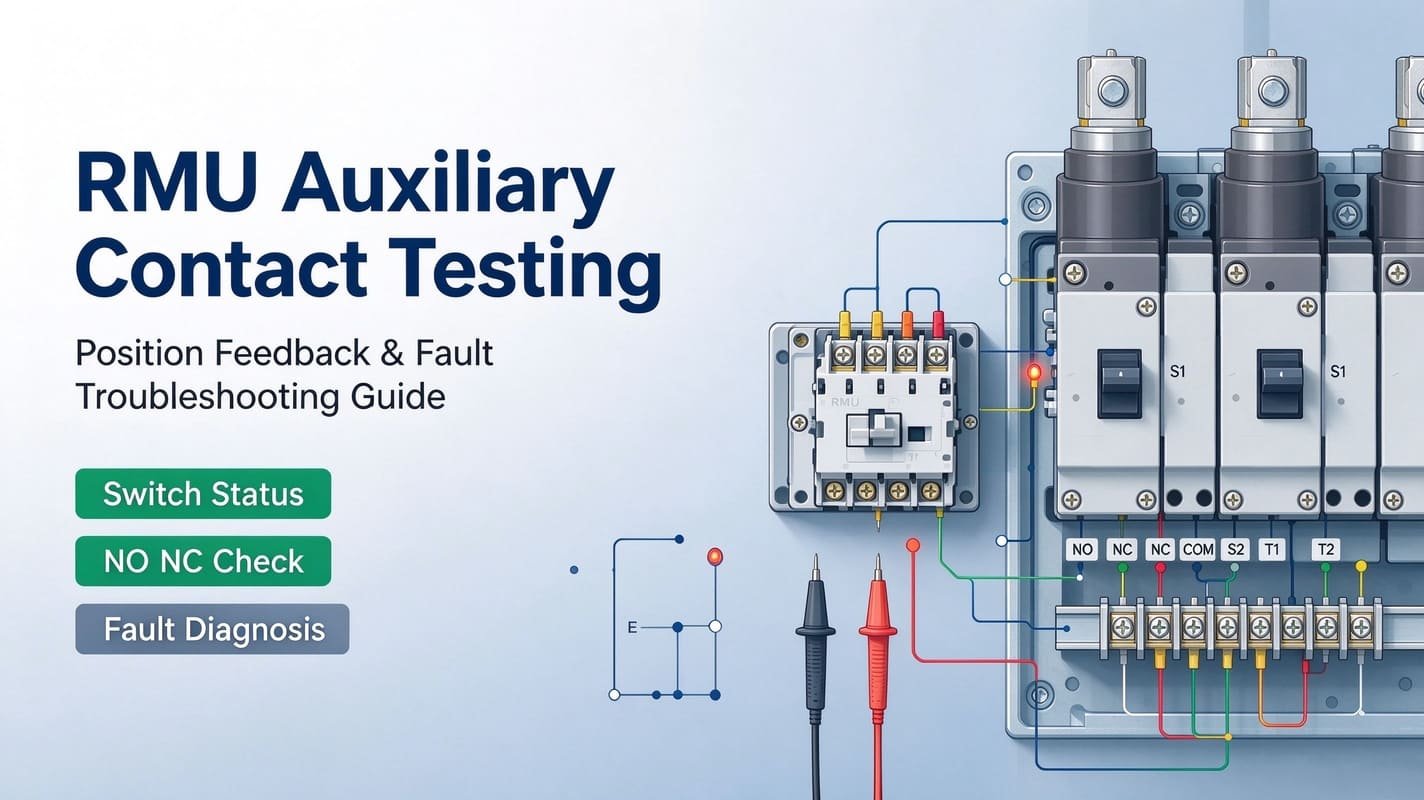
RMU Auxiliary Contact Feedback Fault
RMU auxiliary contact feedback fault occurs when the switch completes operation, but SCADA still shows the old OPEN/CLOSED status. This is feedback failure, not always a mechanism defect.
Typical feedback issues:
- Damaged or misadjusted auxiliary contacts
- Loose terminals or broken feedback wiring
- Incorrect RTU input mapping
- Mixed open/closed/intermediate status signals
- Wrong status interpretation inside SCADA software
Confirm the actual physical switch position following approved site procedures. Trace the auxiliary contact signal through wiring and RTU input to the SCADA status point. If the gear has operated but the status signal never updates, resolve the feedback path before running another remote operation. A missing status indication alone does not prove switching failed.
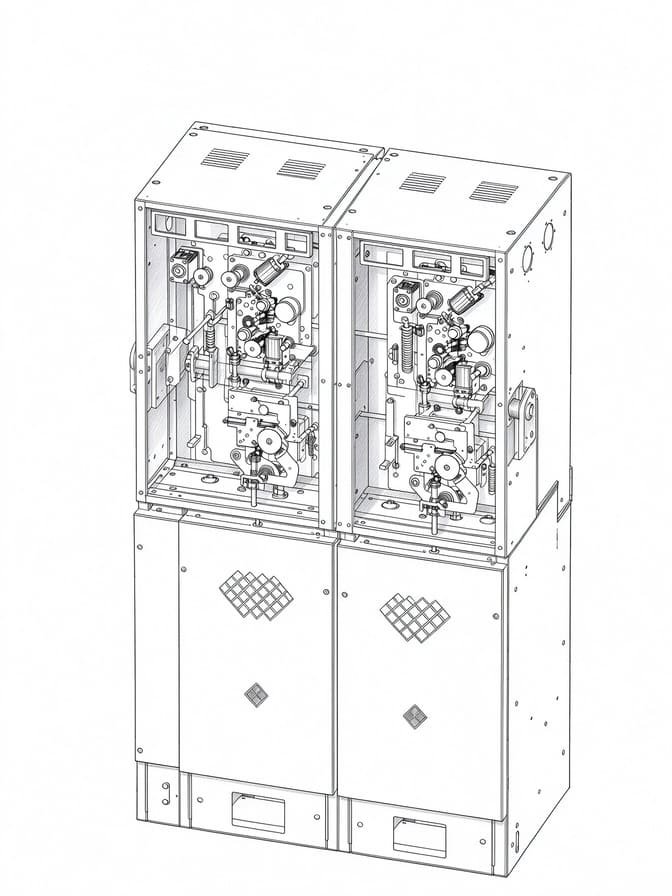
RMU Motorized Mechanism Not Responding
RMU motorized mechanism not responding gets investigated only after confirming command path, supply, relays and interlocks are all healthy.
| Symptom | Possible cause | Recommended direction |
|---|---|---|
| No motor sound | Lost supply, open circuit or active interlock | Trace the control circuit |
| Motor hums but no movement | Supply fault or mechanical blockage | Stop repeated operation and inspect |
| Incomplete switch travel | Limit switch or transmission damage | Follow manufacturer operating sequence |
| Abnormal noise / binding | Mechanical wear or misalignment | Stop and inspect |
| Fault after component replacement | Wrong wiring or incompatible interface | Recheck installation and compatibility |
Don’t rush to replace every unresponsive mechanism. First separate whether the fault is electrical, mechanical or installation-related.
Only replace the mechanism once internal motor damage, heavy wear or persistent unreliable operation is confirmed.
When Should You Replace or Retrofit an RMU Operating Mechanism?
Think about motorized mechanism replacement or retrofit only after ruling out control circuit and feedback faults.
Older manual RMUs can sometimes be upgraded for remote SCADA operation without swapping the full switchgear. But not all manual RMUs accept universal motorization kits.
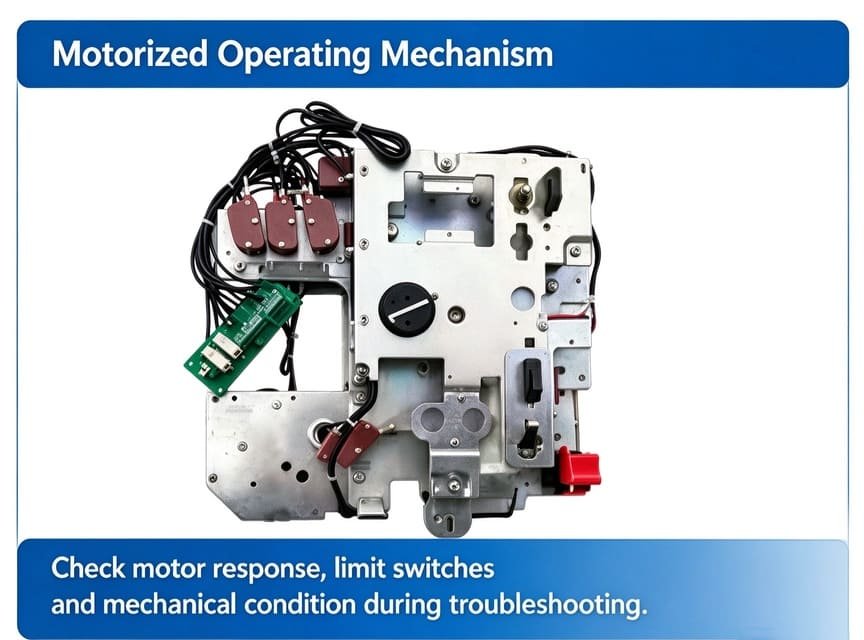
Before ordering replacement hardware, verify:
- RMU brand, model and functional unit
- Existing mechanism and operating shaft layout
- Mechanical mounting dimensions and operating sequence
- Motor control voltage (AC/DC)
- Auxiliary contact and position feedback requirements
- Mechanical and electrical interlock compatibility
- RTU/DTU interface and remote control logic
Brand name, nominal voltage and exterior appearance are not enough to confirm compatibility.
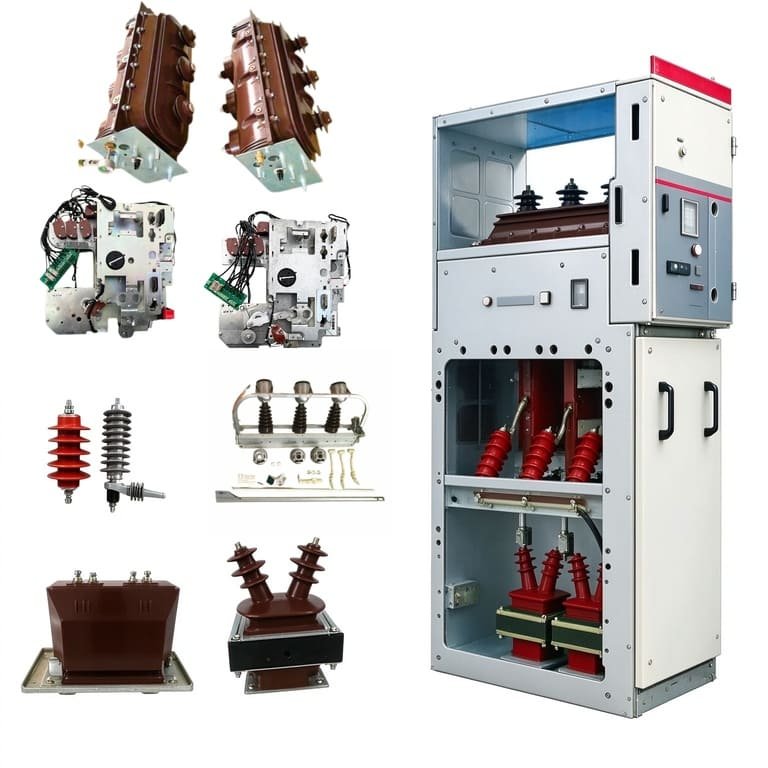
Read our RMU operating mechanism motorized retrofit guide to review upgrade requirements. We supply RM6 compatible motorized operating mechanism and C-module motorized mechanism for RMU. These are compatible aftermarket parts, not OEM original products. Confirm full technical compatibility before purchase. Compatibility with RM6, SafeRing or SafePlus units must be checked case by case.
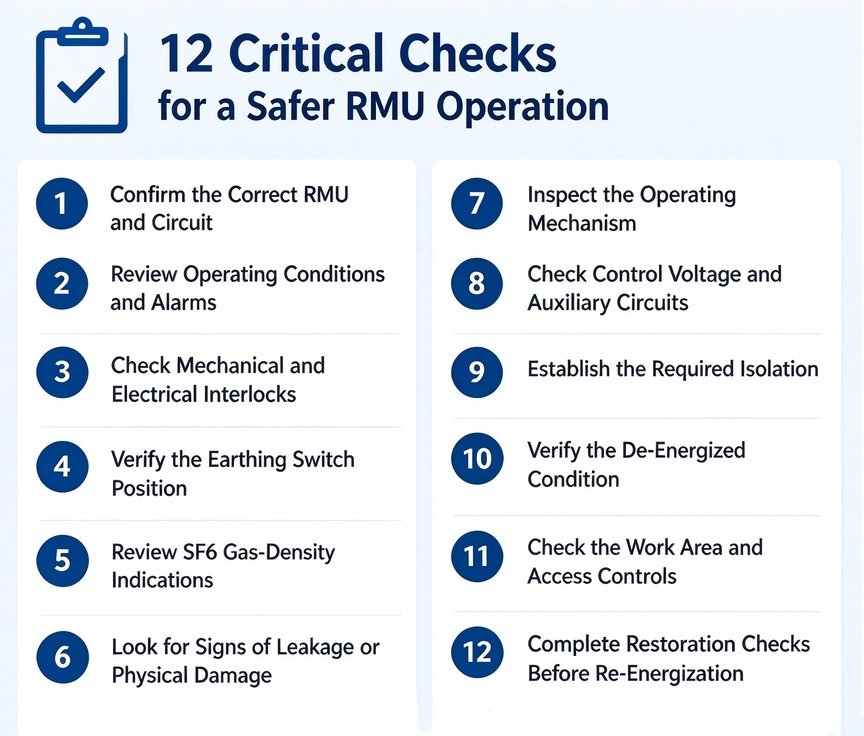
Step-by-Step RMU Remote Control Troubleshooting Checklist
- Define symptoms: Command rejected, motor no-start, incomplete switching or wrong status feedback
- Check control authority: Local/remote mode and remote enable permissions
- Trace commands: Review SCADA events, RTU/DTU processing and output status
- Inspect control circuit: Relay operation, wiring, fuses and control voltage
- Verify interlocks: Find missing permissive signals or conflicting position feedback
- Check mechanism: Motor response, limit switches and mechanical condition
- Validate feedback: Compare physical switch position with auxiliary contacts, RTU inputs and SCADA status
- Full functional test: After repairs, test open, close and feedback functions under approved commissioning rules
Medium-voltage switchgear testing must be completed by qualified personnel following isolation and safety procedures. Never bypass interlocks or repeatedly energize a stalled motor.
Frequently Asked Questions
Why is my RMU remote control not working when local control works?
Most often, remote-enable signals are disabled, the local/remote auxiliary contacts are faulty, or SCADA permissions and RTU logic have issues. Working local operation does not guarantee the remote command path works. Check remote-enable status, control mode, SCADA/RTU command path, remote relays and interlock logic. Confirm whether local operation is manual or electric, they test separate circuit sections.
Why does the RMU receive a SCADA command but not open or close?
The RTU may receive the command but fail to produce output. Other common issues include relay failure, low control voltage, active interlock, defective limit switches or mechanical damage to the operating mechanism. Trace the command through your wiring diagram. The fault may sit in RTU output, relay circuit, control supply, interlock or the motor mechanism.
Can a faulty auxiliary contact prevent remote RMU operation?
Yes. Auxiliary contacts provide position confirmation and permissive signals in many RMU control schemes. A failed contact can block remote commands or corrupt SCADA status feedback. Some control circuits require auxiliary contact signals to allow operation. Faulty contacts can lock out remote switching, depending on circuit design.
How do I know if the RMU motorized mechanism needs replacement?
Rule out supply, wiring, relay and interlock faults first. Replace the mechanism only when internal motor damage, transmission wear or persistent unreliable operation is confirmed.
Can a manual RMU be upgraded for remote SCADA control?
Many manual RMUs can be upgraded with compatible motorized mechanisms and matching control wiring, but site feasibility needs technical assessment.
What information is needed to select a compatible RMU mechanism?
Share RMU model, functional unit, nameplate and mechanism photos, rated control voltage and your site’s fault symptoms for compatibility review.
Need Help Diagnosing an RMU Remote Control Failure?
If your RMU works locally but remote switching fails, pinpoint the faulty stage in the command or feedback path before ordering spare parts or starting a retrofit. Our engineering team can review your equipment details and assess compatibility for replacement motorized mechanisms.
To request a technical compatibility check, share:
- RMU model and functional unit type
- Photos of the nameplate and existing operating mechanism
- Control voltage rating (AC/DC)
- Observed local/remote symptoms
- SCADA alarms or wiring diagrams (if available)
Contact us with your equipment details before ordering replacement parts.